Building my own Shell
- 14 mins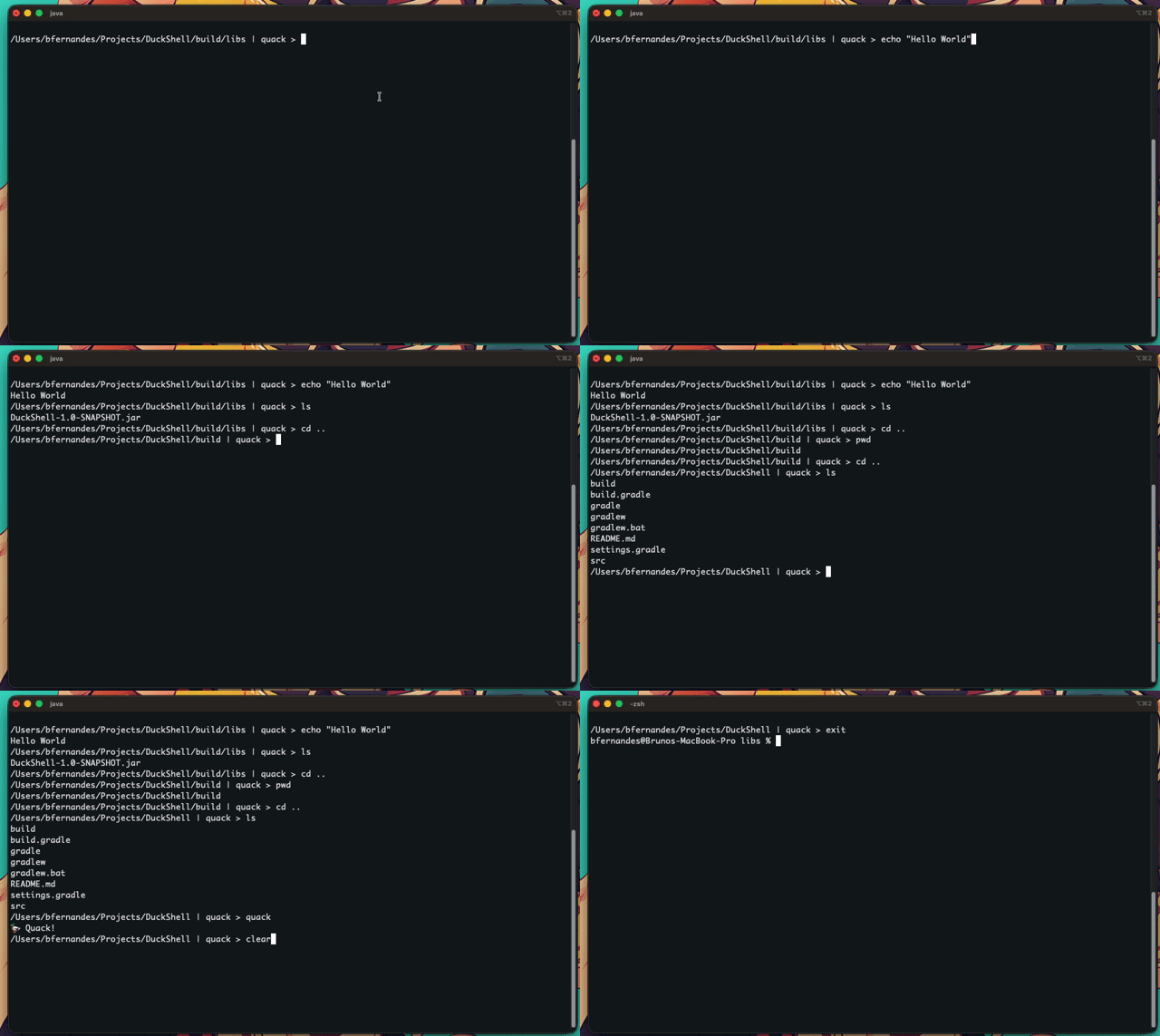
Building my own Shell
Hi there.
Have you ever used something so often that you stopped questioning how it works? For me, that thing was the terminal.
Recently, I got curious: which commands in my shell are actually built-in, and which ones are external programs?
So I asked the shell itself:
% compgen -b
unset
rehash
popd
ulimit
local
jobs
disable
[
compfiles
printf
autoload
noglob
pushln
zle
readonly
exit
false
times
sched
setopt
getln
builtin
let
bg
which
unhash
pwd
zparseopts
logout
disown
type
source
eval
comptags
compdescribe
compctl
r
zmodload
zregexparse
history
return
exec
compadd
emulate
chdir
ttyctl
test
comparguments
pushd
functions
float
zstyle
print
declare
comptry
alias
shift
-
.
bindkey
typeset
true
hash
compset
cd
compvalues
getopts
compgroups
export
enable
limit
echotc
echo
wait
dirs
unsetopt
read
:
integer
bye
echoti
compquote
unfunction
fc
vared
unalias
kill
compcall
where
fg
zformat
suspend
unlimit
break
set
continue
command
zcompile
whence
umask
trap
private
log
That gave me the list of built-in commands. Yeah… that’s a lot.
Looking at it, something clicked for me: the shell isn’t just a simple command runner. It’s its own little world, with its own language, its own built-ins, and its own way of executing things.
And that got me thinking.
As I wrote on my homepage, “Making sense of things by building them.” That’s usually how I learn best. So instead of just reading about it, I decided to try building my own shell.
Nothing fancy. I’m not trying to build something production ready.
I just want to understand a few things a bit better:
- How commands are interpreted
- How built-ins differ from external programs
- How redirections actually work
So… I’m building a tiny shell.
Project Name
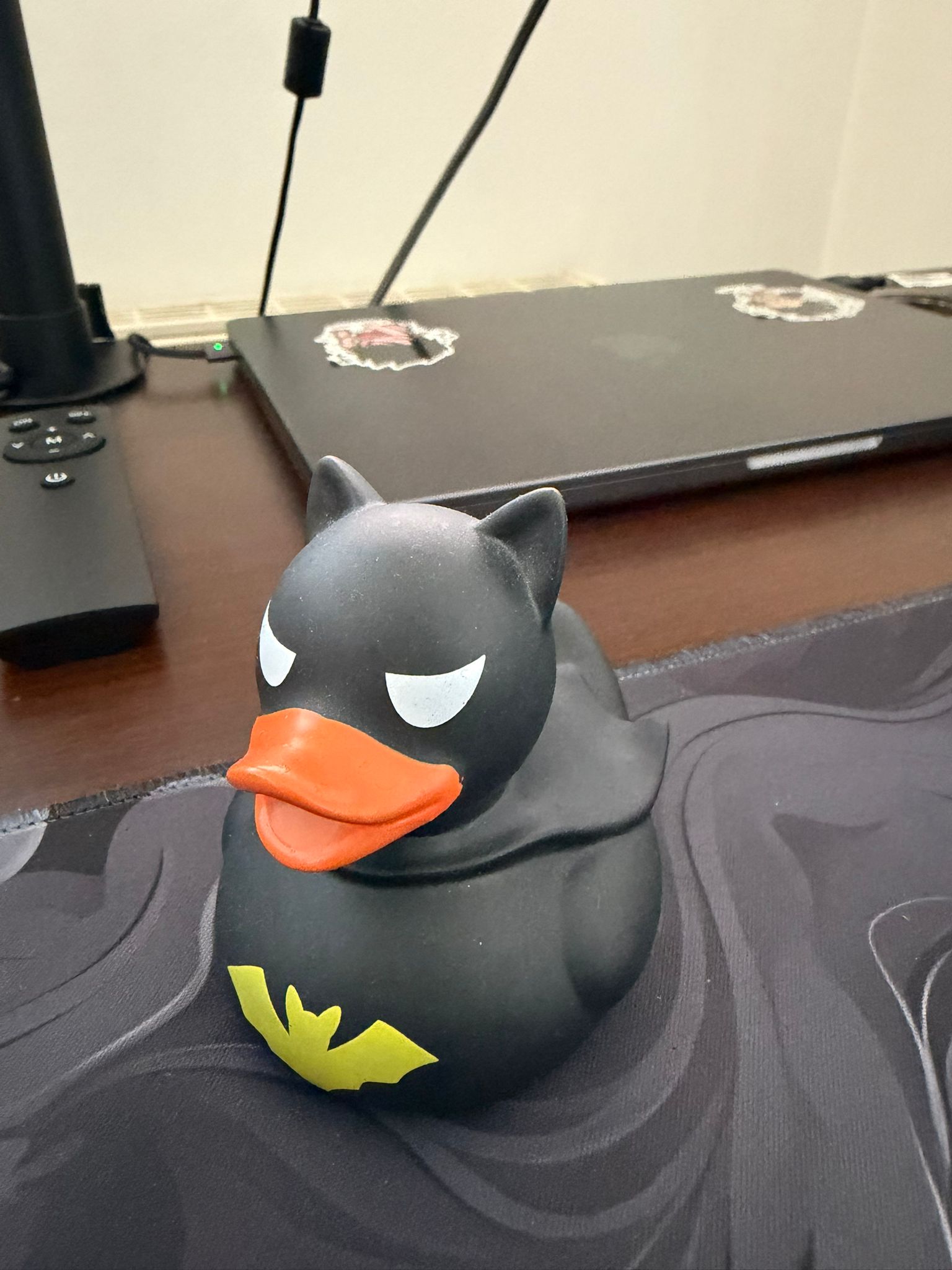
Duck Shell. That’s the name I chose for this project. I keep a Batman rubber duck on my desk for Rubber Duck Debugging. It was right there when I started this project, so the name stuck.
Tech Stack
I built this in Java. It’s not the closest-to-the-metal choice, and a lot of people would prefer C for something like a shell. Java sits behind the JVM, so you lose some of that direct system call feeling.
But this is a learning project, not a production tool, and Java is the language I know best. So Java it is.
What are the core parts of a shell?
Shell
 ├── REPL
 ├── Lexer
 ├── Parser
 ├── CommandResolver
 ├── Executor
 │    ├── BuiltinExecutor
 │    └── ExternalExecutor
 ├── EnvironmentManager
 ├── RedirectionHandler
 └── PipeHandler
A shell is more complex than it first looks. It’s a loop, yes, but it also has to parse what you typed, decide what it means, and handle things like state, output, and redirection.
I kept Duck Shell pretty small and only implemented a few of these components. Nothing fancy. Just enough to understand what’s happening.
💡 If you want to skip ahead and see the code, the GitHub repo is here: DuckShell
The REPL
If you’re not familiar with what a REPL is, here’s a definition from Wikipedia.
At a high level, a shell is an interactive loop: it reads input, evaluates it, and prints a result.
But once I started implementing mine, I realised that the “evaluate” step hides most of the complexity.
In Duck Shell, the loop currently looks like this:
public class DuckShell implements Shell {

    private static final String PROMPT_SYMBOL = "%s | quack > ";

    private final Context context;
    private final ShellParser shellParser;
    private final CommandResolver commandResolver;

    private boolean running;

    public DuckShell(Context context, ShellParser shellParser, CommandResolver commandResolver) {
        this.context = context;
        this.shellParser = shellParser;
        this.commandResolver = commandResolver;
    }

    @Override
    public void run() {
        this.running = true;
        while (running) {
            var rawInput = prompt();
            var commandNode = shellParser.parse(rawInput);
            var command = commandResolver.resolve(this.context, commandNode);
            var executor = CommandExecutorFactory.create(command);
            var result = executor.execute(this.context, command);
            var resultOutput = new ResultOutput(this.context, new ConsoleOutput())
                    .withRedirections(commandNode.redirections());
            resultOutput.write(result);
        }
    }

    public String prompt() {
        var prompt = String.format(PROMPT_SYMBOL, this.context.getCurrentWorkingDirectoryAsString());
        return IO.readln(prompt);
    }
}
Here’s what happens, step by step:
- The shell prints a prompt and reads raw text from the user
- The parser turns that text into a structured command node
- The resolver decides what the command refers to
- A matching executor is selected
- The command is executed
- The result is written, applying any output redirections
Even though this is still a REPL, it’s already more than a simple “read, run, print” loop. The shell has to understand what you typed, decide how to execute it, and only then decide where the output should go.
I also introduced a Context object to keep shell state in one place, like the current working directory. That becomes important quickly, because a shell is stateful. Running cd should affect the next command, and the prompt depends on that state.
Lexer/Parser
I went with a classic two-phase design here: Lexer then Parser.
Lexer
The lexer takes raw input and produces a list of Token records. Each token has a type, value, and position. It scans character-by-character, skips whitespace, and classifies tokens based on the first character:
- Words: accumulated until whitespace or an operator, with backslash escape support (so
hello\ worldbecomes a single token). - Quoted strings: double quotes allow escapes (
\"), single quotes are fully literal. Unterminated quotes throw immediately. - Operators: redirection operators (
>,>>,2>,2>>) are recognised with one-character lookahead. I also tokenise|,&&,||, and;already, even though the parser doesn’t consume them yet.
These are all the token types the lexer can produce:
public enum TokenType {
	WORD,               // Unquoted text
	STRING,             // Quoted text (single or double)
	PIPE,               // |
	REDIRECT_OUT,       // > or 1>
	REDIRECT_APPEND,    // >>
	REDIRECT_IN,        // <
	STDERR_OUT,         // 2>
	STDERR_OUT_APPEND,  // 2>>
	AND,                // &&
	OR,                 // ||
	SEMICOLON,          // ;
	EOF
}
Parser
The DuckParser consumes the token stream and builds a CommandNode. I used Java records to keep the data structures minimal:
public record Token(TokenType type, String value, int position) {}
public record CommandNode(String command, List<String> arguments, List<RedirectionNode> redirections) {}
public record RedirectionNode(RedirectionType type, String target) {}
The logic is pretty straightforward: grab the first word as the command, then loop. Words and strings become arguments. Redirection operators consume the next token as a target. Anything unexpected is an error.
So for example, parsing echo hello world > output.txt produces:
CommandNode(
    command     = "echo",
    arguments   = ["hello", "world"],
    redirections = [RedirectionNode(STDOUT_OVERWRITE, "output.txt")]
  )
I kept this intentionally flat: one CommandNode per input, no nested AST. Pipes and command chaining are on the roadmap. That’s why the lexer already recognises those tokens. I just haven’t wired them up in the parser yet.
Command Resolver & Executor
Once the parser gives me a CommandNode, I do three things: resolve the command, execute it, and handle the output. A Context object ties everything together throughout this pipeline.
Context
The Context is the shared state passed through the whole flow, from resolution to execution to output. It holds three things: the current working directory, an OSPath for finding executables, and a default output handler.
public class Context {
	private final ShellOutput defaultOutput;
	private final OSPath osPath;
	private Path currentWorkingDirectory;
	// ...
}
Most commands just read from it, but some mutate it. cd, for example, updates the current working directory. This way, the rest of the shell always has an up-to-date view of where we are.
Resolving
The CommandResolver decides what to run. Built-in commands are matched first via a CommandNames enum. Things like echo, pwd, cd, type, exit, clear, and quack (every shell needs a signature command). If nothing matches, it tries to find the command as an external executable.
That’s where OSPath comes in. On startup, it reads the system’s PATH environment variable and splits it into a list of directories. When asked to find a command, it walks through those directories in order and checks each one for a matching file that is both a regular file and executable:
public Path findExecutableCommandPath(String commandName) {
    for (var currentPath : this.paths) {
        try {
            var commandPath = currentPath.resolve(commandName);
            if (Files.isRegularFile(commandPath) && Files.isExecutable(commandPath)) {
                return currentPath;
            }
        } catch (InvalidPathException e) {
            // skip invalid paths and keep looking
        }
    }
    return null;
}
First match wins, just like a real shell. If nothing is found, it falls back to InvalidCmd, which reports the error.
Executing
Built-in commands are straightforward. Each implements a ShellCommand interface and returns a Result.
External commands are more interesting: I spin up a ProcessBuilder, set the working directory from the context, then use a small thread pool to read stdout and stderr concurrently so neither stream blocks the other.
All commands return one of three result types:
public record SuccessCmdResult(String stdOut, String stdErr) implements Result {}
public record EmptyCmdResult()                                implements Result {}  // cd, exit, etc.
public record ErrorCmdResult(String stdErr)                   implements Result {}
I like how clean this turned out: SuccessCmdResult for anything that produces output, EmptyCmdResult for side-effect-only commands like cd, and ErrorCmdResult when something goes wrong.
Output & Redirections
After execution, I need to decide where the result actually goes. That’s the job of ResultOutput. It checks whether the CommandNode carried any redirections and routes accordingly:
public void write(Result result) {
    if (hasRedirections()) {
        var stdOutRedirect = getAnyRedirection(List.of(RedirectionType.STDOUT_OVERWRITE, RedirectionType.STDOUT_APPEND));
        if (stdOutRedirect != null) {
            new FileOutput(context, stdOutRedirect).write(result);
            return; // stdout redirected, nothing goes to the console
        }
        var errorRedirect = getAnyRedirection(List.of(RedirectionType.STDERR, RedirectionType.STDERR_APPEND));
        if (errorRedirect != null) {
            new FileOutput(context, errorRedirect).write(result);
            // falls through, stderr goes to file, but stdout still prints
        }
    }
    this.consoleOutput.write(result);
}
There’s a subtle difference I’m happy with here: stdout redirections fully replace console output (if you do echo hello > file.txt, nothing prints), but stderr redirections just capture the error stream while still letting stdout through to the terminal.
When writing to a file, FileOutput resolves the target path relative to the current working directory from the context, picks the right content (stdout or stderr based on the redirection type), and writes it out. It either truncates or appends depending on whether it’s > or >>:
private void createOutputFile(Path target, String content, boolean append) {
	var options = List.of(StandardOpenOption.CREATE,
		append ? StandardOpenOption.APPEND : StandardOpenOption.TRUNCATE_EXISTING
	);
	Files.write(target, content.getBytes(StandardCharsets.UTF_8),
	options.toArray(new StandardOpenOption[0]));
}
The key design choice here is that redirections are applied after the command runs. The commands themselves don’t know or care whether their output ends up in a file or the terminal. That separation keeps things clean.
What’s Next
There’s still a lot I want to add. The lexer already recognises pipes, &&, ||, and ;, so the next step is wiring those up in the parser. That means moving from a flat CommandNode to a real AST that can represent pipelines and command chains.
I’m also looking forward to tackling environment variables, glob expansion, and maybe even basic scripting support down the line.
If you want to follow along or check out the code, the repo is here. And if you’ve ever been curious about how your terminal actually works under the hood, I’d really recommend trying to build one yourself. Even a minimal shell teaches you more than you’d expect.